

Key Takeaways
- Product titles and images are often the most manipulated parts of a listing - dig deeper.
- Specifications matter more than marketing language; always verify units, dimensions, and compatibility.
- Seller identity, rating history, and return policy reveal risk before you spend a cent.
- Review patterns - not just star averages - signal whether feedback is trustworthy.
- A short return window or restocking fee can turn a cheap item into a costly mistake.
What you will need
Why Product Listings Aren't Always What They Seem
Online product pages are constructed with conversion in mind - getting you to click "add to cart" before you've fully evaluated what you're buying. Titles are keyword-optimized, images are professionally staged, and descriptions favor emotional appeal over factual detail. None of this is accidental.
Understanding how listings are built helps you read them more defensively. The information you actually need to make a smart decision - accurate specs, seller identity, return terms, and honest reviews - is almost always present, but it's rarely the first thing you see. If you're new to shopping online, our guide for first-time buyers covers foundational context worth reading first.
Seller Identity Is Not Always the Retailer
On major marketplaces, the platform name doesn't always mean the platform is selling the item. Check for a distinct seller name, often listed near the price or shipping details. Third-party sellers operate under their own return and warranty terms, which may differ significantly from the platform's standard policy. Always read the seller-specific policy before purchasing.
The steps below walk you through each layer of a product listing, showing you where the useful information lives and how to weigh what you find.
What you will need
How to Read Any Product Listing Systematically
The tools you need are minimal - mostly just attention and a willingness to spend two extra minutes before committing. Here's what to have ready:
Marketplace search bar
Used to locate and compare multiple product listings for the same item type.
Browser tab comparison
Open competing listings in separate tabs to compare specs, pricing, and seller details side by side.
Manufacturer's official website
Cross-reference product specifications against what the listing claims to verify accuracy.
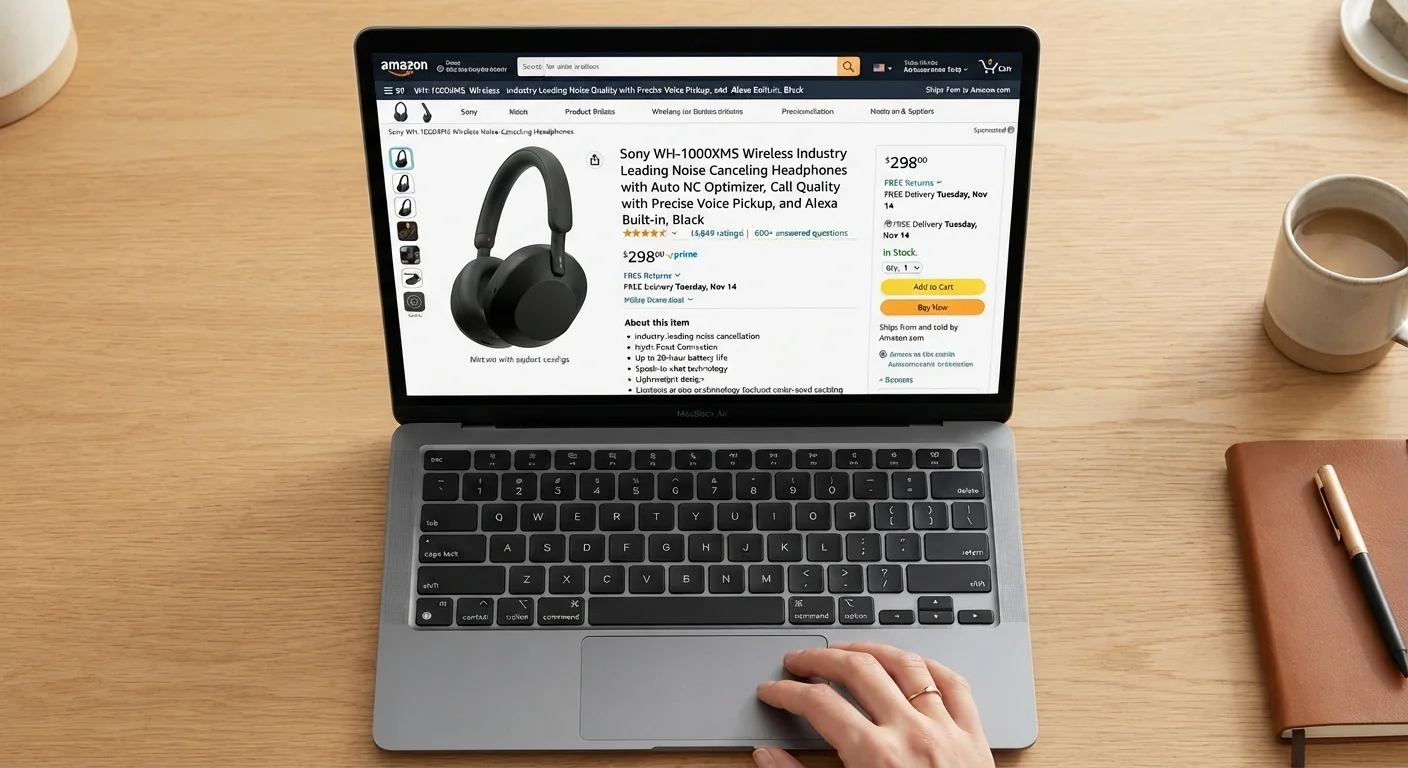
Decode the product title
Product titles on marketplaces are often written for search algorithms, not for clarity. Look past keyword stuffing - phrases like "premium," "professional grade," or long strings of model numbers - and focus on three things: the brand name (if any), the core product type, and any genuinely specific descriptors like wattage, dimensions, or material.
If the title is vague or loaded with superlatives but short on specifics, that's a signal to scrutinize the rest of the listing more carefully.
Examine the images critically
Scroll through every available image. Ask whether the photos appear to be genuine product shots or polished renders. Look for images showing the item from multiple angles, including the back, packaging, and any included accessories. Real-world photos tend to show imperfections, scale references, or user context that renders don't.
Also check if the images actually match the variant you've selected - size, color, or configuration options sometimes swap in photos that don't reflect your specific choice.
Read the specifications, not just the description
Marketing descriptions tell you what a seller wants you to feel; specifications tell you what you're actually getting. Locate the spec table or bullet list and verify the numbers that matter for your use case: dimensions, weight, power output, compatibility, material composition, or warranty length.
Watch for units that could mislead - a capacity listed in milliliters vs. fluid ounces, or a cable length in centimeters that looks like inches at a glance. When in doubt, verify against the manufacturer's website.
Evaluate the seller, not just the platform
Identify who is actually fulfilling the order. Look for the seller name near the price or shipping details. Then check their rating percentage, total number of ratings, and how long they've been active. A seller with 300 total ratings is a much smaller operation than one with 50,000 - neither is inherently bad, but context matters.
Read a sample of their negative reviews specifically. Are complaints about shipping delays, item-not-as-described issues, or poor customer service? Those patterns matter more than a star average. For more on protecting yourself from common marketplace risks, see our overview of online shopping traps.
Check the return and refund policy before buying
Locate the return policy - it's often in a collapsible section near shipping details or linked in the seller's storefront. Note the return window in days, who pays return shipping, whether a restocking fee applies, and whether refunds are issued in original payment form or as store credit only.
A 15-day window, buyer-paid return shipping, and a 20% restocking fee on a $150 item could cost you $30 plus shipping if the product disappoints. That's not a "cheap" item anymore. For a deeper look at return policy language, see how to read a retail return policy.
Assess the reviews with a critical eye
Don't anchor on the overall star rating. Instead, look at the distribution: a product with a 4.1 average that has 40% five-star and 30% one-star reviews is polarizing - understand why. Read the lowest-rated reviews for recurring complaints, and check whether responses from the seller are defensive or solution-oriented.
Also look for review authenticity signals: generic, enthusiastic language with no product specifics, clusters of reviews on the same date, or reviewers with no purchase history are common patterns in manipulated feedback. Our guide to spotting fake reviews walks through these patterns in detail.
Sort Reviews by Most Recent First
A product's quality or seller's service can change over time. Sorting reviews chronologically from newest to oldest reveals whether recent buyers are having a different experience than earlier ones - useful when a product has been updated or a seller has changed fulfillment practices.
Once you've worked through these steps a few times, the process becomes second nature. You'll start noticing red flags in under a minute and skipping listings that would have previously slipped past you. For habits that reinforce this kind of careful approach across all your online shopping, see smarter online shopping habits.
Before You Commit: A Final Listing Check
After working through the steps above, do a quick gut check: Does everything in the listing add up? Do the images match the specs? Does the seller's track record support the promises in the description? Is the return policy reasonable for the risk involved?
Stock Photos Are Not Product Photos
Listings using only manufacturer stock images give you no insight into actual product quality or packaging. When a listing lacks real-world or user-submitted photos, treat it as a yellow flag - especially for items where size, texture, or build quality is hard to judge from a render. Check review photos for a more realistic view.
If something feels off - a spec that seems inflated, a price that's dramatically lower than comparable items, or a return window that's too short to meaningfully test the product - trust that instinct and investigate further or move on. Use our pre-purchase checklist as a final layer of verification before completing any order.