

Key Takeaways
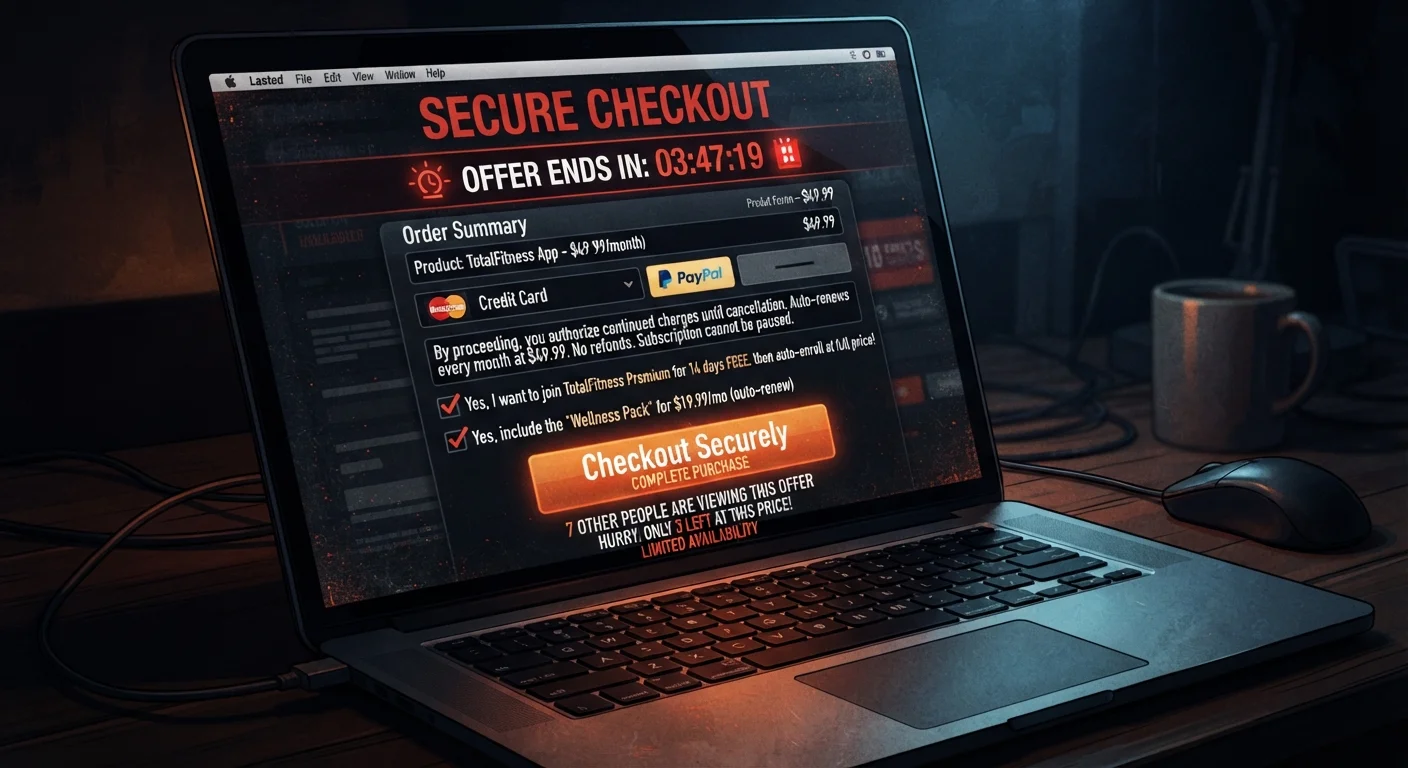
- Dark patterns are intentional UX design choices that nudge shoppers into spending more or sharing more data.
- Pre-ticked boxes, hidden fees, and forced continuity subscriptions are among the most common tactics.
- Slowing down at checkout and reading every line item can prevent most dark pattern traps.
- Regulators in the U.S. and EU have begun scrutinizing dark patterns, but they remain widespread.
- Simple habits - like using a dedicated email and reviewing cart totals carefully - dramatically reduce exposure.
What you will need
What Dark Patterns Are and Why Retailers Use Them
The term dark pattern - coined by UX researcher Harry Brignull - refers to interface design that is deliberately engineered to work against the user's interests. Unlike honest UX mistakes, dark patterns are calculated: the goal is to extract more money, data, or consent than a shopper would willingly give if they fully understood what they were agreeing to.
Retailers use them because they work. Even a small increase in the percentage of shoppers who miss a pre-ticked subscription box translates into significant recurring revenue at scale. The asymmetry is intentional: the retailer's design team has tested every button color, label, and screen flow, while the average shopper is moving quickly and trusting the process.
Common dark pattern categories include:
- Sneak into basket: Items (insurance, warranties, gift wrap) added to your cart by default.
- Forced continuity: A free trial that auto-converts to a paid subscription without a prominent reminder.
- Hidden costs: Fees revealed only at the final checkout screen, after significant time investment.
- Confirm-shaming: Opt-out buttons worded to make declining feel foolish (e.g., "No thanks, I don't want to save money").
- Misdirection: Visual design that draws your eye away from important disclosures - like subscription terms buried in gray text.
- Roach motel: Easy to sign up, deliberately difficult to cancel.
For a broader look at in-store equivalents, see retail tricks that even careful shoppers fall for. Understanding the full landscape of consumer tactics helps you stay alert across all shopping environments.
Dedicated shopping email address
Keeps marketing and subscription confirmation emails separate from your primary inbox, making it easier to track and cancel unwanted sign-ups.
Virtual or single-use payment card
Limits the damage of forced continuity subscriptions by letting you block future charges without affecting your main card.
Screenshot tool
Lets you document what you agreed to at checkout - useful if you need to dispute charges later.
How to Navigate Around Dark Patterns Step by Step
The good news: dark patterns lose most of their power once you know what to look for. The steps below build a practical defense layer by layer - from pre-checkout habits to post-purchase protection.
Audit your cart before entering payment details
Before you reach for your credit card, scroll through your entire cart and review every line item. Look for anything you didn't explicitly add - extended warranties, insurance riders, gift packaging, or donation add-ons. Remove anything you don't recognize or want. This one habit catches "sneak into basket" patterns before they cost you money.
Scan every checkbox on the checkout page
Scroll through the entire checkout form and look for pre-ticked checkboxes. Pay special attention to small, low-contrast text near the bottom of forms or near the payment button. Common examples include "Sign me up for the rewards program" or "Add a 30-day trial of [service]." Uncheck anything you did not explicitly choose.
Compare the advertised price to the final order total
Note the price you saw on the product page, then compare it to the final total at checkout. If numbers don't match, identify every added line: shipping, handling, service fees, taxes. Question any fee that wasn't disclosed on the product page. Hidden costs revealed only at the final screen are a recognized dark pattern - you are under no obligation to complete a purchase once you see them.
Read subscription terms before accepting free trials
If a checkout flow offers a free or discounted trial, locate the exact terms before proceeding: What does it cost after the trial? How do you cancel? When will your card be charged? If the answers require clicking away from the checkout page or are buried in a lengthy terms document, that's a deliberate barrier. Set a calendar reminder for two days before the trial ends - regardless of whether you intend to cancel.
Read opt-out button labels critically
When a site asks whether you want to subscribe or join something, look carefully at the decline option. If the "No" button is worded to make you feel foolish (confirm-shaming), treat that as a signal the offer may not be in your interest. Dismiss the emotional framing and evaluate the offer on its merits alone. The wording of a button is not a reason to accept something you don't want.
Use a dedicated email and document what you agreed to
Providing a secondary email address for online purchases keeps subscription confirmations and marketing out of your primary inbox and makes it easier to track what you've signed up for. After completing any purchase, save or screenshot the order confirmation page - particularly the itemized total and any subscription terms. This documentation is your strongest evidence in a dispute.
Slow Down Before You Click 'Place Order'
Most dark patterns rely on checkout momentum - retailers count on you moving fast. Taking an extra 60 seconds to review every line item and uncheck pre-selected boxes is enough to catch the majority of traps. Treat the checkout page like a contract, not a formality.
If you want a comprehensive checklist to run through before finalizing any order, see our pre-purchase checklist. It pairs well with the pattern-recognition skills covered here. For a deeper dive into the fees that inflate cart totals, decoding e-commerce fees explains exactly what each charge covers and when to question it.
What to Do When You've Already Been Caught
Even careful shoppers get caught occasionally. If you notice an unauthorized charge or realize you were enrolled in something you didn't intend to join, act promptly:
- Check your email for any subscription confirmation - it may contain a cancellation link.
- Log into the retailer's account settings and look for a "Subscriptions" or "Memberships" section.
- If direct cancellation is blocked or circular, contact customer service in writing (email or chat) so you have a paper trail.
- If charges continue after confirmed cancellation, contact your card issuer and dispute the charge as unauthorized.
Unsubscribing Isn't Always Straightforward
Some retailers deliberately bury cancellation options or require a phone call to cancel a subscription started with two clicks online. If you suspect a forced continuity trap, document your cancellation attempt (screenshots, email confirmation) and contact your card issuer if charges continue after a confirmed cancellation.
Pre-Ticked Boxes Are Not Consent
From a consumer-rights perspective, a pre-selected checkbox does not constitute meaningful consent to a recurring charge or marketing list. You have the right to deselect it - and if you miss one, you generally have the right to cancel and request a refund for any charge you did not knowingly authorize. Document everything and contact your card issuer if a retailer refuses.
For more on protecting yourself across the full online shopping experience, protecting yourself when shopping online covers fake reviews, misleading photos, and auto-renewal traps in one practical overview. Building these responses into a routine is part of developing smarter online shopping habits that hold up over time.